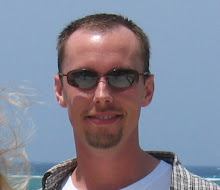
I haven't posted an update since shortly after my diagnosis and, needless to say, a lot has happened in the intervening months. A lot of people are curious about details so my apologies for the long blogpost to follow.
Surgery
As I reflect on my surgery I am disappointed that I missed so many opportunities to catch the cancer before it caused my large intestine to rupture. My annual colonoscopy was delayed by a few months because I was switching gastroenterologists (strike ONE). I had an MRI scheduled to happen 5 days prior to the rupture that was cancelled because I tested positive for C-DIFF (strike TWO). I had the opportunity to be admitted to the hospital 2 days prior to the rupture (Friday), but my new gastro said that I must leave immediately in order to get to the hospital before she left for the weekend. Given that my wife was at work and I had two kids that wasn't an option (strike THREE!). If any one of these circumstances had been different, we would have likely found the tumor and had a planned surgery rather than an emergency ruptured bowel that spilled all kinds of filth and bacteria into my abdominal cavity (causing a level of pain that I didn't know existed). As hard as the surgeons tried to flush my abdomen, it's impossible to get all of bacteria cleaned out. As a result I spent two months fighting post-operative infections with IV antibiotics and multiple drains and countless CT scans & MRIs. During that time my doctors were focused entirely on the infections and the cancer continued to grow and spread quickly. By the time I started chemo on November 6th, the number of tumors in my liver had grown substantially and the size the existing tumors had doubled (based on a comparison with the original CTs/MRIs). My liver had 20+ tumors ("lesions") the largest of which was about the size of a baseball. Apparently, my cancer is very aggressive with regards to growth and spreading. The upside is that chemo drugs work best against cell that divide quickly and mine certainly seem to be doing that!
Cancer
Once we had the post-op infections under control my wife and I went about interviewing oncologists and found an amazing doctor,
Steven Szabo. He put me on a chemo regimen called
FoxFol 5-FU + Avastin that required me to have a
port installed in my chest to deliver the chemo drugs. Every other Monday I spend 7 hours in an infusion center getting the chemo drugs pumped into me and I leave with a pump that infuses me for 48 hours. I then go back in the following Wednesday to get the pump removed. The chemo symptoms have gotten worse over time. Some of them are well known like nausea and fatigue, but some are bizarre like the fact that coldness on my fingertips or in my mouth/throat feels like an electric shock (kinda like a 9-volt battery on your tongue). On January 7th, I had a PET scan that was compared against my baseline PET scan (taken prior to chemo) and we learned that my tumors are shrinking and that there has been no further spread of cancer to other parts of my body. They expect me to be on this chemo regimen for another 3 months or so before I transition to mostly oral chemo meds.
Managing
My current symptoms consist of the chemo side-effects mentioned above plus severe back pain caused by the liver tumors pressing on the nerves in my lower back. I've been on oxycodone for a couple months and it does a pretty good job of managing the pain usually, but takes a while to kick in once I realize I'm in pain and take one. I've also purchased a Tempurpedic adjustable bed (split king) that allows me to adjust my position to alleviate pain without waking my wife. For the first couple months after surgery I really struggled to eat. I didn't eat for 22 days before and after surgery and lost about 32 pounds (which I didn't have to spare) so I'm down to about 150 lbs. Eating more than a small snack resulted in sweating, nausea, and discomfort. However, over the past 3 weeks or so I've been able to eat regular sized meals and have gained back about 3 pounds! I'm on the "consume as many calories and as much food as possible" diet...which annoys everyone around me who is trying to lose or maintain their weight :)
Work
For the last 18 years my career has been a huge part of my life and my self-identity. It provided a life that has taken us from Connecticut to Richmond to Charlottesville to NYC to Atlanta. I work for a relatively small software company called Pivotal that was spun out of VMware and EMC. I cannot say enough about how helpful and understanding they have been through this. I have learned more than I care to about employment law, social security disability, short/long term disability, HIPPA, and benefits. My employer continues to provide health insurance and long-term disability insurance during this extended absence (which they are not required to do by law). I cannot imagine how difficult this kind of experience must be for those who must endure crushing financial hardship along with the physical and emotional toll of cancer. I am incredibly fortunate.
Bucket List
I've had a bucket list that I created long before my cancer diagnosis which included taking my wife to Paris (check), skydiving (check), and many other things. I've added a bunch of travel lately. While I'm not sure that I'll be healthy enough to do everything on it, I've decided to plan it and adapt as necessary. Our first trip was to spend 9 days over Thanksgiving driving through Indiana visiting friends and family. I wanted to attend a Purdue football game this year (yes, I'm a glutton for punishment) and my wife was able to arrange for us to sit in the skybox during the game . She also managed to get us a ride on the Boilermaker Special train which included a ride around the stadium, then right through the gates to the south end-zone where we were escorted to the skybox. AWESOME! However, my kids expectations are now completely ruined because they now believe that's NORMAL :) After new years, the family headed for 3 days of fun at Disney World. I had to take a break each day after lunch while Kristen took the kids on a few rides without me, but overall it was fantastic. It turns out my kids (ages 6 & 9) are thrill ride fanatics! And with the Disney's FastPass+ system we spent less than one hour in line over the entire 3 day vacation. Really impressive since my childhood memories of Disney are littered with standing for hours on end in blazing heat for a 2-3 minute roller coaster ride. Already planned are trips to Detroit to see my brother, Indianapolis for the Boilermaker Ball, Winter Park for skiing, Las Vegas for just Kristen and I to get away, San Francisco with the kids, and finally Maui next summer with my cousin. I've even considered renting an RV for a pseudo-camping trip with the family (I have no interest in the type of camping that requires me sleeping on the ground in a tent covered in mosquitos). Needless to say, we're making the most of the time we have.
Life
As you would expect, life has been quite different for me since the surgery and diagnosis. Without work, my days consist of doctor/chemo appointments, medical/disability administrivia, chores, naps (fatigue), and time with friends/family. Almost everyone is aware of my situation now, but every few weeks I have someone who is not on social media reach out with "OMG, I just found out!" When people actually see me for the first time they generally get a bit uncomfortable and there's a lot of awkward pauses as they search for words. I've gotten used to the awkwardness and try to show them that I'm the same guy they remember, only thinner and a bit less mobile. My closest friends/family have now gotten comfortable with the "gallows humor" that I often use these days. One of the positive benefits of my situation is that lots of things that used to really bother me, just don't matter much anymore. Whoever said "Don't sweat the small stuff. It's almost all small stuff" was exactly right.
Death
I've thought a lot about death since my diagnosis. It's such a taboo subject that people are really uncomfortable talking about (especially with someone who is terminally ill because it's not just a hypothetical topic). Whenever I'm talking about estate planning, or my bucket list, or other aspects of planning for the inevitable I get a lot of well-intentioned "you never know, miracles happen everyday, god works in mysterious ways, you can't give up" comments. While I'm definitely not happy about my prognosis, I have accepted the reality that the 5-year survival rate for someone in my position is less than 6% with the average being about 2 years (my oncologist thinks that I can make it 3 years based on my response to chemo). That doesn't mean that I've "given up", it just means that I'm a pragmatist at heart and I consider every day since August 24th, 2014 to be "bonus time". That being said, some days are harder than others. It's a surreal feeling to know that you are approaching the finish line. I won't say that it doesn't make me sad, it does. Usually in the form of a few minutes of tears each day when I'm alone. But then I hear the giggle of one of my kids or the voice of my wife in the background and I smile and quickly realize that I don't have time to sulk or feel sorry for myself. Now is the time to live; Death will just have to wait it's damn turn ;)